
ACCOUNT ACCESS

betzula Login – Access Your Casino Account Anytime, Anywhere in the Philippines

Your betzula account is your gateway to 800+ casino games, live dealer tables, instant GCash deposits, and PHP jackpots. This guide covers everything you need to know about logging in to betzula – on desktop, mobile browser, and the betzula app – plus troubleshooting tips for common login issues.

21+ Age Requirement

You must be 21 years or older to create and access a betzula account, in line with Philippine gaming regulations. Gambling is addictive. Know when to stop.


betzula
How to Log In to betzula on Desktop
Step-by-step for players accessing betzula from a laptop or PC.
1
Go to betzula.live
Open your preferred browser – Chrome, Firefox, Edge, or Safari – and navigate to the official betzula website. Make sure you're on the correct domain to avoid phishing sites.
2
Click the Login Button
The betzula Login button is prominently placed in the top navigation bar. Click it to open the sign-in panel. The login form loads instantly without a page redirect.
3
Enter Your Credentials
Type your registered username or email address in the first field, then enter your password. betzula passwords are case-sensitive, so check your caps lock if you're getting an error.
4
Complete Security Verification
If betzula detects a new device or location, you may be asked to verify via a one-time PIN sent to your registered mobile number or email. This is a security feature to protect your account.
5
You're In – Start Playing
Once logged in, you'll land on your betzula dashboard. Your balance, recent games, active bonuses, and the full game lobby are all accessible from here. Select a game and start playing.
How to Log In to betzula on Mobile
For players on Android or iOS – no app download required.
1
Open Your Mobile Browser
Chrome on Android or Safari on iOS both work perfectly with betzula. The mobile site is fully responsive and loads quickly on Smart, Globe, and DITO connections across the Philippines.
2
Navigate to betzula.live
Type the URL directly or use a saved bookmark. For faster access, add betzula to your home screen: tap the share icon in Safari or the three-dot menu in Chrome, then select "Add to Home Screen".
3
Tap the Login Button
The betzula Login button appears in the mobile navbar. Tap the hamburger menu icon if the navbar is collapsed, then tap Login. The sign-in form is touch-optimized with large input fields.
4
Enter Username and Password
Your phone's keyboard will appear automatically. If you use a password manager like Google Password Manager or iCloud Keychain, betzula's login form supports autofill for faster access.
5
Enable Biometric Login (Optional)
After your first successful mobile login, betzula may offer to enable fingerprint or Face ID authentication for future sessions. This is the fastest way to access your account on mobile.
betzula
Common betzula Login Issues & Fixes
Most login problems have a simple solution. Here's what to check first.
🔑
Forgot Your Password
Click "Forgot Password" on the betzula login page. Enter your registered email address and you'll receive a password reset link within a few minutes. Check your spam folder if it doesn't arrive in your inbox. Once reset, log in with your new password immediately.
🔤
Wrong Username or Email
betzula accounts can be accessed with either your username or the email address you registered with. If one isn't working, try the other. Remember that usernames on betzula are case-sensitive.
🔒
Account Temporarily Locked
After several consecutive failed login attempts, betzula temporarily locks the account as a security measure. Wait 15–30 minutes before trying again, or use the password reset option to regain access immediately.
📱
OTP Not Arriving
If your one-time PIN isn't arriving via SMS, check that your registered mobile number is correct in your betzula account settings. Network delays on Smart or Globe can sometimes cause a 2–3 minute delay. Request a new OTP if the first one expires.
🌐
Page Not Loading
Clear your browser cache and cookies, then try again. If betzula still won't load, try a different browser or switch between WiFi and mobile data. Occasionally, ISP-level issues in certain areas of the Philippines can affect connectivity.
🛡️
Suspicious Login Alert
If betzula sends you a security alert about a login from an unrecognized device or location, change your password immediately and contact betzula support. Do not share your login credentials with anyone.
Keeping Your betzula Account Secure
Simple habits that protect your balance and personal data.
💪
Use a Strong, Unique Password
Your betzula password should be at least 10 characters long and include a mix of uppercase letters, lowercase letters, numbers, and symbols. Don't reuse a password from another site – if that site gets breached, your betzula account could be at risk.
📲
Enable Two-Factor Authentication
betzula supports 2FA via SMS or authenticator app. With 2FA enabled, even if someone gets your password, they can't access your account without the second verification step. Enable it in your betzula account security settings.
🚫
Never Share Your Login Details
betzula staff will never ask for your password via chat, email, or phone. If anyone claiming to be betzula support asks for your credentials, it's a scam. Report it immediately through the official betzula support channel.
📍
Log Out on Shared Devices
If you access betzula from a shared computer – at an internet café in Quiapo or a friend's device – always log out completely when you're done. Don't save your password on devices you don't own.
🔍
Check the URL Before Logging In
Always verify you're on the official betzula domain before entering your credentials. Phishing sites sometimes mimic the betzula login page. Look for the padlock icon in your browser's address bar confirming a secure HTTPS connection.
betzula
betzula Login – Frequently Asked Questions
Quick answers to the most common login questions from Filipino players.

Yes. Your betzula account works across all your devices – desktop, Android phone, iPhone, and tablet. Your balance, game history, and bonuses are all synced in real time. You can switch between devices mid-session without losing anything.

betzula is fully accessible via mobile browser without requiring an app download. The mobile website is optimized for touch and loads quickly on Philippine networks. You can add betzula to your home screen for an app-like experience without taking up storage space.

Click "Forgot Password" on the betzula login page, enter your registered email address, and follow the reset link sent to your inbox. The link expires after 30 minutes. If you don't receive the email, check your spam folder or try again with your registered mobile number.

betzula may request identity verification (KYC) when logging in from a new device, after a long period of inactivity, or before processing a large withdrawal. This is a PAGCOR compliance requirement and a security measure to protect your account and funds.

Checking "Remember me" on the betzula login form keeps you signed in on that device for an extended session. For security, betzula will still require re-authentication after a period of inactivity or if it detects unusual account activity.

Yes. betzula uses SSL/TLS encryption for all connections, whether you're on WiFi or mobile data (Smart, Globe, DITO). Your login credentials and session data are encrypted in transit. Avoid logging in on public WiFi hotspots without a VPN as an extra precaution.
Your betzula Account After Login

Once you're logged in to betzula, the full platform opens up. The dashboard gives you a clear view of your current balance in Philippine Peso, your active bonuses and their wagering requirements, your recent game history, and quick-launch shortcuts to your most-played titles.

The cashier is accessible directly from the logged-in dashboard. Filipino players can deposit via GCash, PayMaya, bank transfer (BPI, BDO, UnionBank, Metrobank, Landbank, PNB, Security Bank), or debit card. Minimum deposit is ₱100. All deposits reflect in your betzula balance instantly for GCash and Maya, and within minutes for bank transfers.

Withdrawals are just as straightforward. Navigate to the cashier, select withdrawal, choose your preferred method, and enter the amount. GCash and Maya withdrawals typically process within 15 to 30 minutes during regular hours. Bank transfers may take up to one business day. betzula does not charge withdrawal fees on the platform side.

What You Can Do Once Logged In

  • Access 800+ games including live dealer tables, slots, fishing games, and bingo rooms
  • Deposit and withdraw in PHP via GCash, PayMaya, or bank transfer
  • Claim welcome bonuses, reload offers, and free spins from the promotions page
  • Join weekly slot tournaments and live casino leaderboard events
  • Set deposit limits, session reminders, and cooling-off periods via responsible gaming tools
  • Update your account details, change your password, and manage 2FA settings
  • Contact betzula support via live chat directly from your logged-in account

Players from all over the Philippines use betzula daily – from Makati professionals unwinding after work with a few rounds of live baccarat, to Cebu-based players grinding slot tournaments on weekends, to Davao players catching late-night Dragon Tiger sessions. The betzula platform is designed to be accessible and responsive regardless of where in the Philippines you're playing from.

If you ever have trouble accessing your betzula account, the support team is available around the clock. Live chat is the fastest option and typically connects you with an agent within a few minutes. For account recovery issues that require identity verification, email support is also available and betzula aims to resolve these within 24 hours.
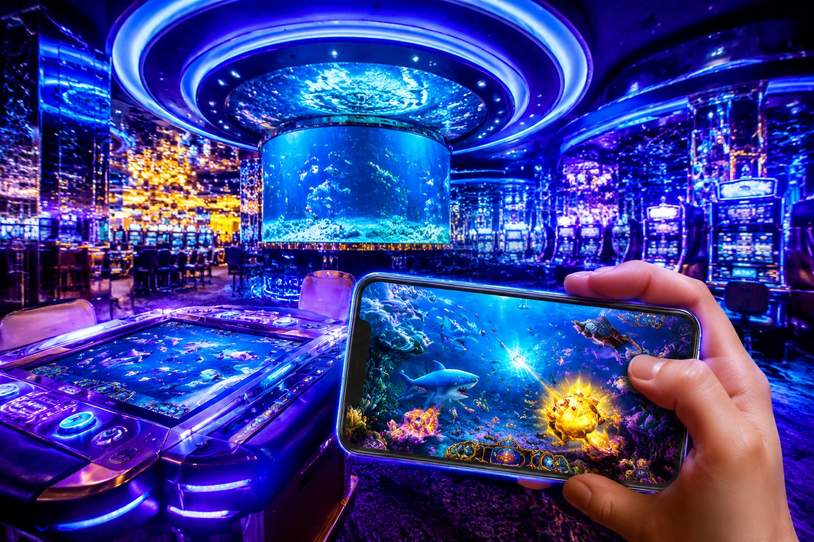
betzula
betzula Login and Responsible Gaming

Easy account access is important, but betzula also wants to make sure that access is used responsibly. The platform provides a full suite of responsible gaming tools that are accessible directly from your logged-in account settings.

You can set daily, weekly, or monthly deposit limits to control how much you fund your betzula account. Session time reminders alert you when you've been playing for a set duration. If you need a break, cooling-off periods let you temporarily suspend your account for a defined period. For players who need a longer break, self-exclusion is available and betzula takes these requests seriously – a self-excluded account cannot be reactivated during the exclusion period.

These tools are there for a reason. Gambling is entertaining when it's within your means and time budget, but it can become a problem if it's not managed. betzula encourages all Filipino players to use these features proactively, not just reactively. Set your limits before you start playing, not after a losing session.

Gambling is addictive. Know when to stop. If you feel your gaming is affecting your finances, relationships, or mental health, visit the Responsible Gaming page for resources and support options available to Filipino players.

Login Quick Reference
🌐
Desktop
Any modern browser – Chrome, Firefox, Edge, Safari
📱
Mobile
Mobile browser, no app download needed. Add to home screen for quick access.
🔐
2FA
SMS or authenticator app. Strongly recommended for all betzula accounts.
⏱️
Session
"Remember me" for extended sessions. Auto-logout after inactivity.
🆘
Support
24/7 live chat available from your logged-in betzula dashboard.